Today, I will share it all with you.
Here’s the thing — modern flight simulators have come so far that they’re genuinely useful for learning to fly. Not just entertaining (though they are that too), but actually, measurably useful. Whether you’re a student pilot trying to save money on flight hours or a rated pilot keeping your skills sharp between flights, there’s a lot to unpack here. Let me walk you through what works, what doesn’t, and how to get the most out of your sim time.
Understanding Simulation’s Training Value
So the FAA has been warming up to flight simulation for a while now. Approved flight training devices can actually count toward instrument currency and certain certificate requirements — that’s official, on-the-books stuff. Your home simulator? It won’t carry that official credit, but don’t let that fool you. The learning transfer is genuinely substantial when you approach it with some discipline.
I’ve seen this firsthand and the research backs it up: pilots who rehearse procedures in simulators before climbing into the real thing tend to perform better and progress faster. Think about it — you can repeat a maneuver twenty times, practice emergency procedures without sweating through your shirt, and fly tricky approaches without burning a dime of avgas. That’s powerful stuff.
But here’s the flip side, and I want to be honest about it. Simulation can absolutely reinforce bad habits if you’re sloppy about it. If you’re cutting corners in the sim, guess what you’ll do in the airplane? You need to understand both the benefits and the limitations. That’s what separates people who waste their sim time from people who genuinely accelerate their training.
Building an Effective Training Setup
Your hardware matters more than you’d think. I’ve seen guys spend thousands on the prettiest monitors while flying with a twenty-dollar joystick, and honestly, they’ve got their priorities backwards. Let me break down what actually moves the needle for realistic skill transfer.
Flight Controls
A decent yoke or stick is where it all starts. Entry-level options from Logitech and Thrustmaster will get you through basic procedures — they’re fine for that. But if you’re serious about training value, higher-end hardware makes a real difference. The Honeycomb Alpha yoke has basically become the gold standard among enthusiasts, and for good reason. The control feel is realistic, and the switch configurations actually match what you’ll find in real aircraft.
Now, rudder pedals — I can’t stress this enough. Please do not map your rudder to a twist axis or, heaven forbid, buttons. You’ll develop coordination habits that are completely useless in a real airplane. Get standalone pedals from CH Products, Thrustmaster, or Honeycomb and start building proper feet-hand coordination from day one. Your future instructor will thank you.
A throttle quadrant adds another layer of realism for power management. The Honeycomb Bravo is a solid pick — it comes with vernier controls for mixture and prop, plus switch panels that mirror actual aircraft systems. Is it necessary for everyone? No. But it’s one of those things where you notice the improvement immediately.
Visual Systems
A single monitor will technically work for basic procedures, but you’re missing out on peripheral awareness, which matters more than most people realize. Triple monitors or an ultra-wide display make visual approaches feel noticeably more realistic. And VR headsets? Honestly, they provide the most immersive experience I’ve tried. The trade-off is that extended sessions can get uncomfortable — some folks handle it fine, others don’t.
Resolution and refresh rate affect your ability to spot traffic and judge sight pictures during approaches. These sims are demanding software, so you’ve got to balance your display ambitions with whatever computing power you’re running. No point having a beautiful setup that stutters at 15 frames per second.
Software Selection
Microsoft Flight Simulator 2020/2024 is stunning to look at and unbeatable for VFR environments. Those photogrammetry cities and satellite imagery? Nothing else comes close for visual flight practice. X-Plane 12, on the other hand, offers arguably better flight modeling and is the go-to for instrument procedure training among a lot of pilots I know. Both platforms support the same hardware and have massive add-on ecosystems, so you really can’t go wrong either way.
If you want to train on specific aircraft, study-level add-ons are where it’s at. Products from PMDG, Leonardo, and Fenix simulate commercial aircraft systems in enough detail for type-rating preparation. For general aviation training, the default aircraft in both major platforms will do the job, though enhanced versions definitely add realism.
Structured Training Approaches
Here’s where most people go wrong. They fire up the sim, fly around for an hour looking at pretty scenery, and then wonder why their skills aren’t improving. Random flying is fun — I get it, I do it too sometimes — but it provides limited training value. You need structure. You need goals. Let me show you how.
Procedures Practice
Use your simulator to nail cockpit flows and checklists. Before your next flight lesson, mentally rehearse the entire flight using the simulator. Practice engine start sequences, pre-takeoff checks, approach briefings — do it all until it becomes automatic. That’s when the magic happens.
For instrument students especially, procedure practice might be simulation’s single greatest contribution. Load up an approach plate, brief it exactly like you would in the airplane, and fly the procedure five, ten, fifteen times until the timing and configuration management become second nature. Then throw in some partial panel failures or unusual situations just to keep yourself honest.
Navigation Skills
Modern simulators model VORs, GPS, and airways systems with impressive accuracy. I’d recommend practicing cross-country navigation using real charts and real flight plans — treat it like the actual flight. The huge advantage? You can pause, look at where you are, figure out what went wrong, and there’s zero time pressure while you sort it out. That alone accelerates navigation learning dramatically.
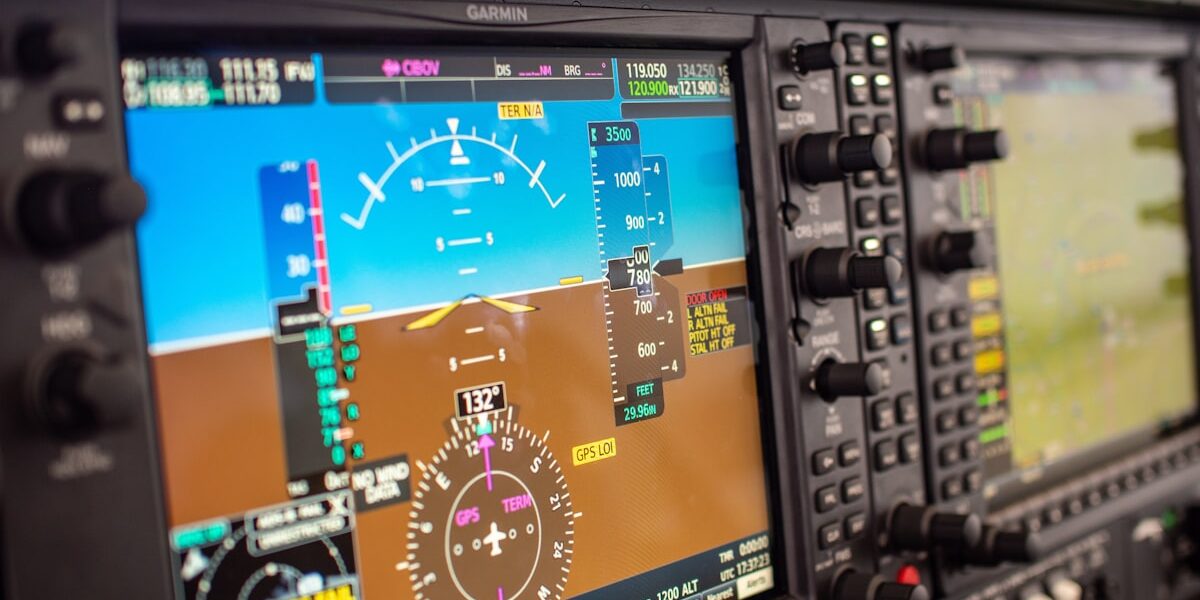
If your training aircraft has a Garmin G1000 or similar avionics suite, the exact same interface is available in simulation. Learning where every button lives and how the navigation logic flows means you’ll spend way more productive time in the actual aircraft instead of fumbling with screens.
Emergency Procedures
This is where simulation genuinely shines, and honestly, it’s kind of the whole reason I’m such a believer in sim training. Practice engine failures after takeoff. Practice engine-out patterns. Practice emergency landings. Do it over and over until the muscle memory is just… there. You’re building decision-making patterns that could save your life someday, and you’re doing it from the comfort of your desk. Wild, right?
Set up random failures in your simulator and practice recognition and response. Where else can you experience dozens of emergency scenarios safely? This kind of mental preparation gets you ready for situations that might happen once in a career — or never — during actual flight.
What Simulation Cannot Teach
I’d be doing you a disservice if I didn’t talk about the limitations. Simulation is a tool, not a replacement, and anyone who tells you differently is selling something.
Physical Sensations
No home simulator — I don’t care how much you spend — replicates the vestibular sensations of flight. Your inner ear provides critical information about attitude, acceleration, and coordination that a screen simply cannot approximate. This matters especially during initial flight training when you’re still learning to interpret those gut feelings.
I’ve actually seen students who logged tons of simulator time before their first real flight struggle with sensory overload once they’re actually airborne. The airplane moves. The wind bumps you around. Your stomach drops during a steep turn. None of that happens at your desk. So use simulation to support your actual stick time, especially early on — don’t try to replace it.
Real-World Decision Making
There’s a psychological dimension to flying that simulation just can’t capture. Weather decisions, fuel management, go/no-go calls — these carry a fundamentally different weight when your actual life is involved. Clicking “restart” isn’t an option at 3,000 feet. The emotional and psychological aspects of being a pilot develop only through real-world experience, period.
Communication Skills
ATC communication in simulation has gotten better, I’ll give it that, but it still doesn’t replicate the pace and stress of actual radio work. Practice radio calls at home to learn your phraseology and get comfortable with the lingo — that’s valuable. But expect real ATC interactions to feel completely different at first. The first time a controller rattles off an amended clearance at twice the speed you expected, you’ll know what I mean.
Integrating Simulation with Flight Training
The real secret sauce is coordinating your sim practice with whatever you’re doing in actual flight training. Don’t just fly random stuff — fly what you’re learning.
Pre-Lesson Preparation
Before each flight lesson, carve out 30-60 minutes in the simulator to review the planned maneuvers and procedures. Working on steep turns next lesson? Fly dozens of them in the sim until the power, bank, and back pressure coordination feels automatic. I guarantee your instructor will notice the preparation. They always do.
Post-Lesson Review
Had a rough lesson? We all do. Fire up the simulator afterward and analyze what went sideways. Replay approaches that felt rushed, practice stalls that made you uncomfortable, or work through procedures that had you confused. No pressure, no clock ticking, no instructor watching — just you and the problem, until you figure it out.
Currency Maintenance
Between lessons or during those frustrating weather delays (and if you train anywhere with actual seasons, you’ll know plenty about those), simulation keeps your skills from getting rusty. Studies show that simulator practice between flight sessions helps retain skills better than doing nothing at all. Even short fifteen-minute sessions keep procedures fresh in your head.
Advanced Training Applications
As you progress through training and your skills develop, simulation supports increasingly sophisticated goals. This is where it gets really interesting.
Cross-Country Practice
Plan and fly your cross-country routes in the sim before the actual flight. Identify landmarks along the way, practice timing your legs, and visualize the approaches at your destination airports. I did this before every cross-country during my training and it made an enormous difference. You show up already knowing what to expect, and that confidence translates directly into better performance.
Instrument Proficiency
For instrument-rated pilots, structured simulator practice is a fantastic way to stay sharp. You won’t be logging official currency, but the skill maintenance is absolutely real. I know plenty of instrument pilots who swear that regular sim practice keeps them dramatically sharper during periods between actual IMC flights. Can you really argue with that?
New Airport Familiarization
Before flying to an unfamiliar airport, explore it in the simulator first. Fly the approaches, study the traffic pattern, identify the local terrain and any potential gotchas. This preparation reduces your workload during actual operations — especially at complex airports or those with unusual procedures. It’s one of those “why wouldn’t you do this?” kind of things.
Building Effective Practice Habits
Consistency beats marathon sessions every single time. I learned this the hard way after a few five-hour sim binges that taught me almost nothing. Regular short sessions outperform those occasional mega-practices. Here’s what I’d suggest:
Set specific goals for each session. Don’t just “fly around” — decide in advance what you’re going to practice, do it, and then stop. Even if you want to keep going. Discipline in the sim builds discipline in the cockpit.
Keep a logbook of your simulator sessions. Note what you practiced, what went well, what needs work. This mirrors the self-assessment habit that every good pilot develops, and it’ll make your debrief conversations with your instructor way more productive.
Try not to abuse the pause button. I know it’s there, and sure, use it when you need to. But pausing constantly breaks the flow and time-critical nature of actual flying. Challenge yourself to complete procedures in real time — that’s where the real training value lives.
Vary your conditions and scenarios. Don’t always fly in beautiful clear skies — throw in some crosswinds, low visibility, system failures. The goal here isn’t just proficiency in perfect conditions. It’s building the adaptability that keeps you safe when things get messy.
Return on Investment
Let’s talk money, because I know that’s on everyone’s mind. A quality home simulator setup runs somewhere between $1,000 and $5,000 depending on how crazy you get with hardware. Compare that to $150-$250 per hour for actual flight training. If your sim practice saves just 5-10 hours of dual instruction — and it absolutely can — the thing pays for itself. And the benefits keep compounding throughout your entire flying career.
Beyond the raw dollars saved, think about the confidence and preparedness simulation builds. Students who practice at home show up to lessons ready to fly, not ready to start learning. That efficiency makes every training dollar stretch further, and believe me, in aviation, you want your dollars stretching.
Whether you’re just starting flight training, grinding toward advanced ratings, or maintaining proficiency as an active pilot, thoughtful simulation practice genuinely accelerates your aviation journey. Treat your sim time with the same professionalism you bring to actual flight, and you’ll see the return on that investment for years to come. Trust me on that one.



Stay in the loop
Get the latest aviation news updates delivered to your inbox.